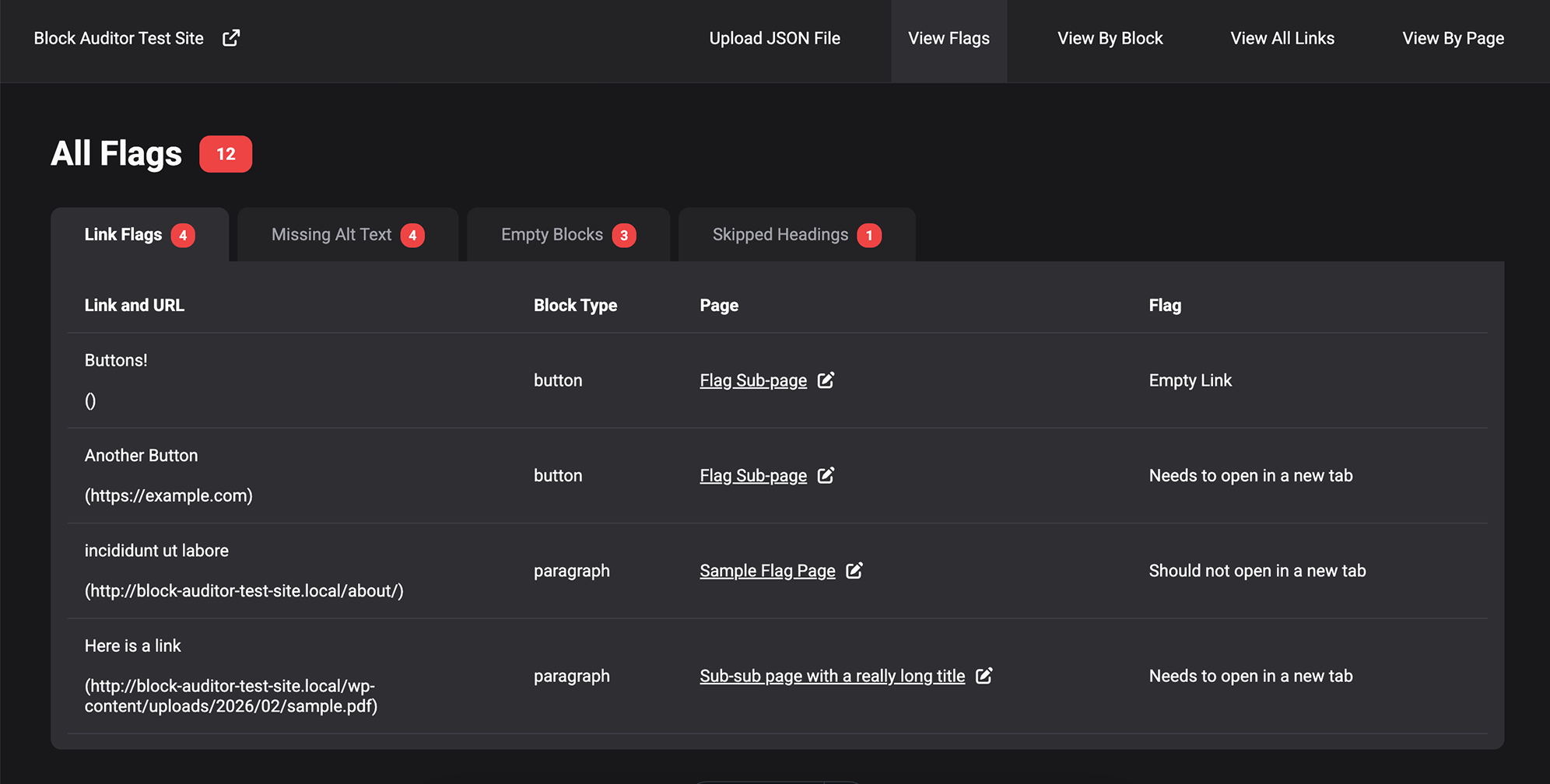
Recently, I was pulled in to do some content QA on a project and while doing so, I realized the potential to streamline the process a bit. Currently, there are several existing tools that perform various site audits, but I wanted to create one that would be more integrated with the WordPress editing experience and deliver a way to view the specific data that we needed.
Try out a demo!
Table of Contents
The Use Cases
I imagined this tool being useful as a lightweight aggregation of several types of data, allowing the user to search for very specific conditions within their block layouts.
Some use cases are:
- Find all instances of a specific block throughout the site and view information about that block.
- Check to make sure certain block types are nested correctly within a specific parent block type.
- Check to see if there are any empty blocks (list blocks with no content, etc.)
- Check alt text on all image instances.
- Check all links to see if they are external or pdf and not opening in a new tab and vice versa.
- Quickly view all link texts to see if they are descriptive enough.
- Check for all instances where headings are out of order.
The User Flow
This project includes a plugin and a separate visualizer app. I chose this setup to limit the database stress of the WordPress site by limiting the ability to audit and query the database to only logged-in admin users.
The user flow is as follows:
- Install and Activate the Block Auditor plugin.
- Run an Audit and download the JSON file.
- Upload the JSON file to the Block Audit Visualizer.
- Explore various data, including flags (out of order headings, mismatching link targets, missing alt texts on all image instances, and empty blocks), all blocks, all links, and all pages.
I conveniently added links to both the published page and the editor for that page for each flag and block so that if the user discovers an issue, they can quickly enter the editor or view the issue.
Tour of the Visualizer
Flags View
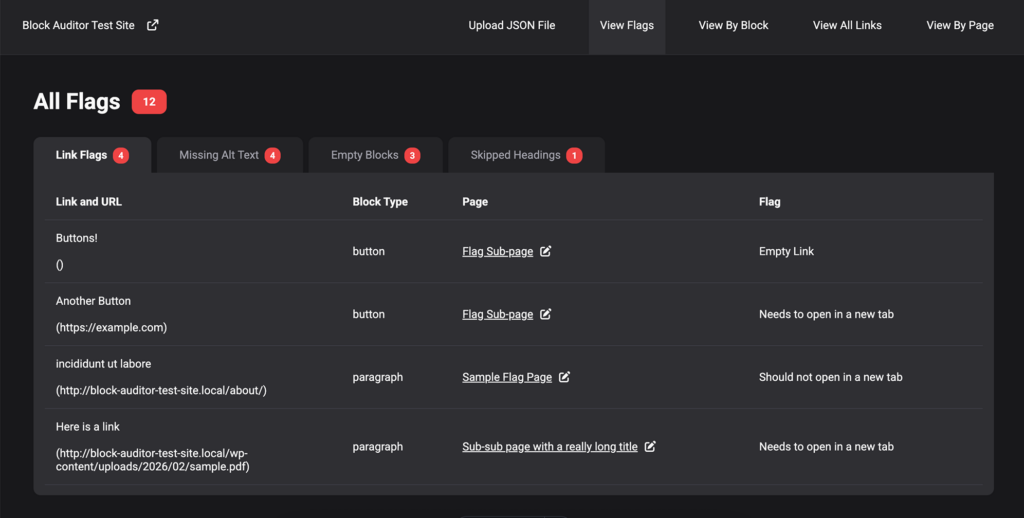
Upon uploading your JSON file, you are automatically directed to the flag page, as those are the issues that will likely need to be taken care of.
The 4 major types of flags are links with empty href attributes or mismatching target attributes, missing alt text on images, empty blocks, and out-of-order headings.
View By Block
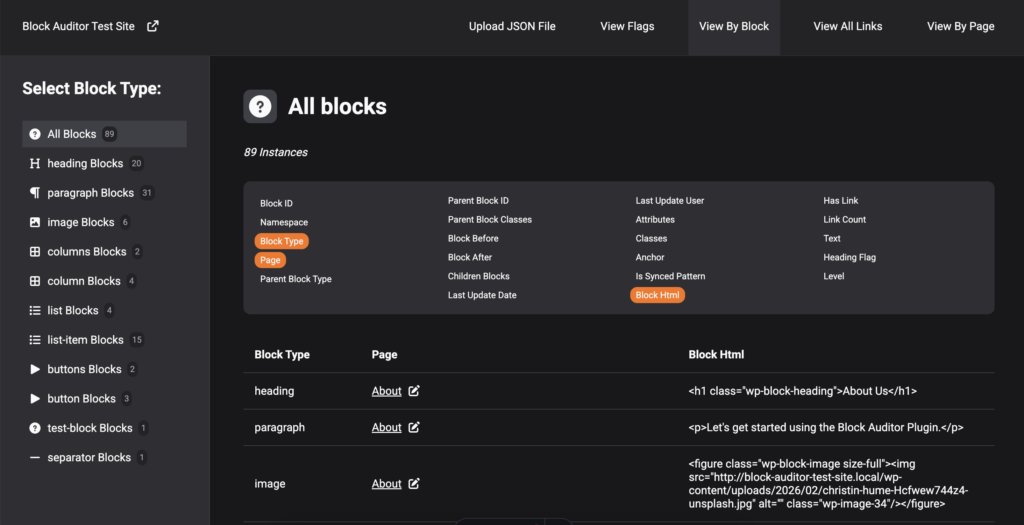
In this view, you can view all blocks or just specific blocks and view whatever information about them you are interested in.
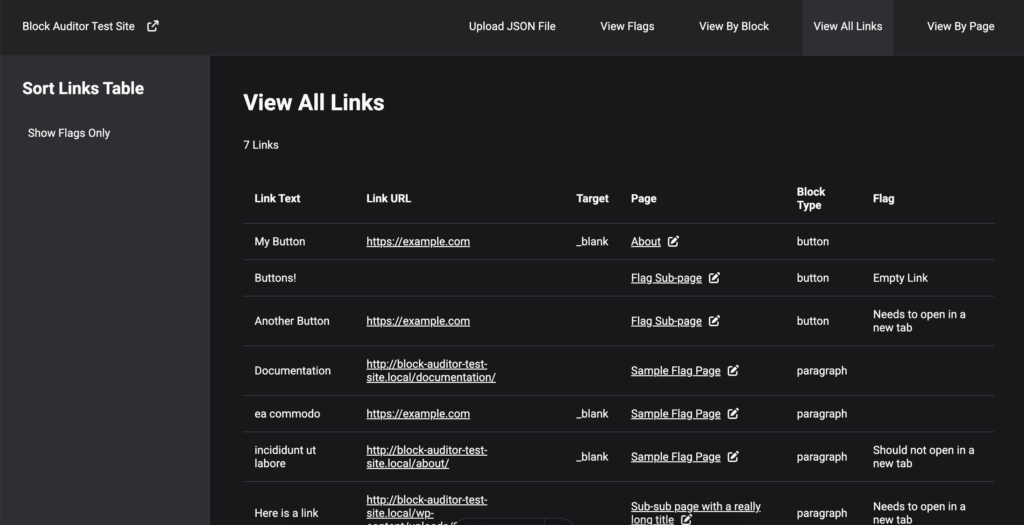
View All Links
This view aggregates all links on the site, shows their block type, url, target, page, text and if they are flagged with a potential issue.
This provides an easy way to make sure all links on your site are descriptive enough (no “Learn More”s!)
View By Page
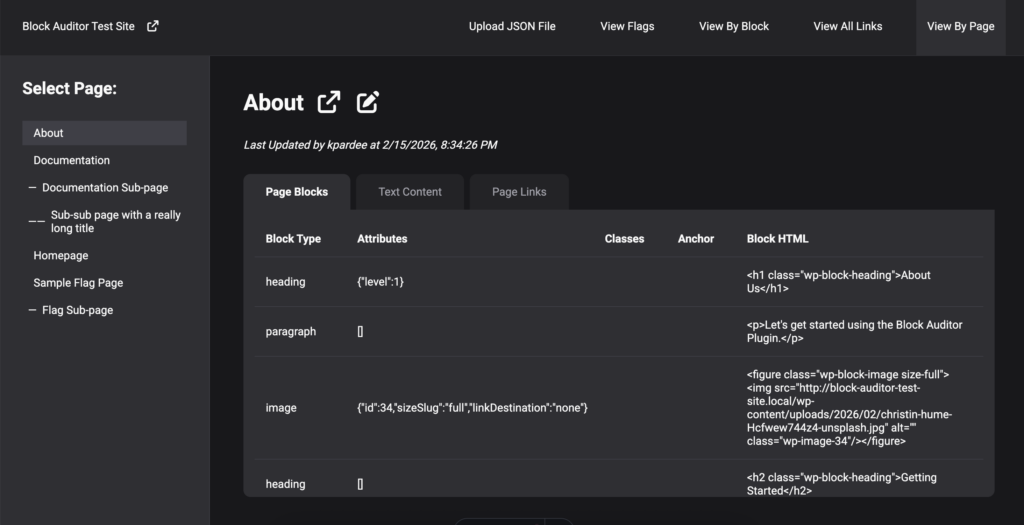
This view shows the hierarchy of pages and three sets of information about each page: all blocks, just the text content (flagging any out-of-order-headings) and all the links on the page.
The Tech Stack
Plugin
The Block Auditor plugin is a lightweight PHP plugin that outputs JSON.
Visualizer App
The visualizer uses Astro for a framework with what is essentially a React SPA inside of it. Languages used are Typescript, HTML, Vanilla CSS. Deployed on Netlify via GitHub. All data-processing happens client-side.
GitHub Files
Dig in to the files here (coming soon!):
Future Features
Moving forward with this project, I plan to:
- Continue adding more custom attribute sorting for core Gutenberg blocks (defining attributes from the attributes object for each specific type of block)
- Add more post types to the audit (currently only audits page post type).
- Add actual download functionality to plugin (currently outputs to textarea element)